
Organic SEO
Internal Links on a Business Website: How to Connect Services, Articles, and Inquiries
A practical guide to planning internal links: mapping pages, writing anchor text, finding orphan pages, and testing the path from article to service to inquiry.
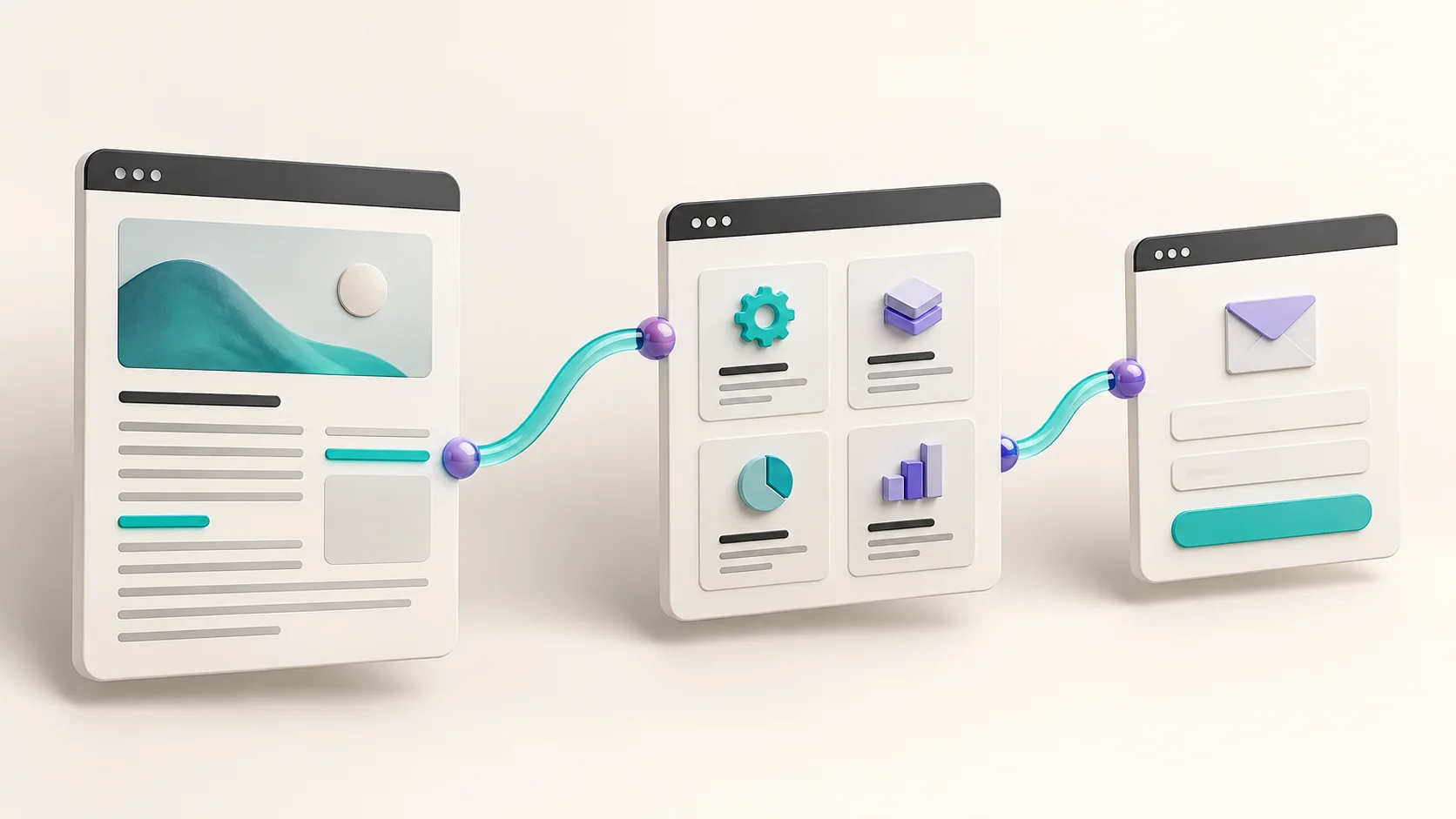
Internal links on a business website connect three things: the answer the reader was looking for, the service that fits their need, and the option to contact you. They are not just an add-on to SEO work. They are part of how people find their way around. An article can answer a question well and still leave the reader with no idea what to do next. A service page can be well designed and still be almost impossible to reach from the content that already exists on the site.
This guide offers a practical way to map those connections, choose clear anchor text, and check that the links work. The examples are scenarios for illustration, not client results. There is no target number of links to reach here, and no promise of rankings or inquiries.
By the end, you will have three things: a way to think about every link from the reader's point of view, a simple worksheet where each row is one connection between two pages, and a review routine you can repeat every time a new page is added to the site. You can apply all three on a small site with a handful of pages and on a site that already has dozens of articles. The main difference is the pace of the work.
Start with the reader's next question
A useful link continues the train of thought of the person reading right now. If a page explains what to prepare before building a website, the next step can be a page that walks through the build process. If the reader is already comparing types of solutions, the next step can be a guide that explains the difference between them. If they already know what they need, it is better to give them a direct path to contact you than to make them read three more articles.
Before you add a link, put into words what the reader might want to know after this paragraph. If the target page answers that next question, you have a good reason to link to it. If the only reason is that the page matters to you, the placement may not be right.
Tell three types of pages apart
An article explains things and helps people make a decision. A service page spells out who the service is for, what it includes, and how to move forward. A contact page lets people start a conversation. They complement each other, but one cannot replace another.
That is why it is not a good idea to send every reader to the home page. Someone who read about a problem with an existing site may need an explanation of building and upgrading business websites. Someone looking for information about content and site structure may want to continue to organic SEO services. The choice should fit the question that came up, not a uniform template that appears at the end of every paragraph.
How to phrase the next question in practice
The exercise is simple. Read the paragraph, and at the end write down in one line the question the reader is likely to ask. Then look for a page on the site that answers it. A few examples from general work scenarios:
- A paragraph that explains what a landing page is: the next question is usually whether that kind of page fits the reader's business, so the natural target is the service page that explains who it is for.
- A paragraph that describes a common problem with a contact form: the next question is how to test the form on their own site, so the natural target is a testing guide, not a sales page.
- A paragraph that sums up how a service works: the next question is how to get started, so the natural target is the contact page.
- A paragraph that explains a basic concept: sometimes there is no clear next question, and that is fine. Not every paragraph needs a link.
If you cannot phrase a question, or the question you wrote does not match any existing page, you have learned something important. In the first case, the paragraph probably does not need a link. In the second case, the site is missing content. That gap is worth writing down, rather than covering it with a link to a page that answers a different question.
An example path from article to service to inquiry
Imagine a business owner searching for how to upgrade a website without losing existing content. She lands on the checklist for upgrading an existing website, reads about mapping URLs, and realizes the work involves more than changing colors. At this point, a link to the website building page can give her commercial context: what process the studio offers and what to prepare before a call.
After she reads the service page, the link to the contact page should be clear and lead to a place where she can leave her details. There is no need to send her back to the blog to improve a page view metric. In terms of usability, the path succeeds when she can find the right next step, not when the site makes her open as many pages as possible.
This is only one possible path. Another reader may first need a comparison between a full website and a focused landing page. That is why the right paragraph can also offer a learning path, without lining up five competing buttons at the end of every section.
How to test the path yourself
Open the article on your phone as if you did not know the site. Read the paragraph where the link appears. Is it clear what you will get after you tap it? Go to the service page and check that it actually meets that expectation. Then reach the form and check that the fields and instructions are clear. For a navigation check, there is no need to submit details or create a test lead.
If you have to use the back button to figure out where you landed, if the name of the service changed along the way, or if the link opened a page that is too general, write down the gap. Fixing the words around the link may matter just as much as changing its URL.
A second path: a reader who does not yet know what they need
A different scenario: the manager of a professional services firm is trying to understand why the website brings in almost no inquiries. He lands on a general article about site structure, and at this stage he still does not know whether the problem is the content, the design, or the form. If the very first paragraph invites him to fill out a form, the invitation comes too early. He is not ready for a conversation yet, because he does not yet know what to talk about.
A path that fits him looks different. Inside the explanation of site structure, there is a link to the organic SEO page, at the point where the article explains how content connects to search. Further on, in a paragraph about service pages that are hard to reach, there is a link to the website building page. Only at the end, after the reader understands which questions are worth asking, does an invitation to talk appear. The path is longer, but every stop on it answers a question the reader has already asked.
The difference between the two paths is not in the links themselves but in where the reader starts. So for every article, it is worth asking who usually arrives at it and what stage of the decision they are in. An article that answers a basic question will mostly attract readers at the start of the journey. An article that compares options will attract readers who are closer to a decision, and there an invitation to get in touch can appear earlier.
An internal links map you can actually work with
You do not need to start with a giant diagram of the whole site. Start with one business service and a few pages that deal with it. Prepare a worksheet where each row describes one proposed connection. The key distinction is between the source URL, where the reader is now, and the target URL, where they are supposed to go next.
Here is what the first rows of the map might look like:
- A guide to preparing for a website upgrade: the question left for the reader is what the work process looks like. A possible target is the website building service page, and you check that the page explains a process and does not just show images.
- The website building service page: the question left for the reader is what to prepare before the meeting. A possible target is a relevant preparation guide, and you check that the guide answers exactly that question.
- An article about site structure: the question left for the reader is how to check their own site. A possible target is the organic SEO service page, and you check that the promise in the link matches what the service includes.
- A service page, after the explanation of the process: the question left for the reader is how to get started. A possible target is the contact page, and you check that the form is available and easy to use on mobile.
For each row, add the full URL, a suggested anchor text, the position in the paragraph, an owner, and a review date. If the link already exists, mark it so it does not get added twice. If there is no suitable target page, record a content gap instead of pointing to a page that does not meet the need.
How to build the map step by step
- Choose one service: the one that matters most to the business right now, or the one with the most content around it. Do not start with the whole site.
- Collect the pages: the service page itself, the articles that cover its topic, the FAQ page, and the contact page. Write each URL on a separate row.
- Record what exists: for each page, which links go out from it today and which pages link to it. You can use a crawler, and on a small site you can also read the pages by hand.
- Phrase the next question: next to each relevant paragraph, write the question the reader might ask at the end of it, as in the exercise from the first section.
- Match a target: for each question, choose the page that answers it best. If there is no such page, record a content gap.
- Mark what changes: a new link, a link that replaces its target, anchor text that changes, or a link that gets removed because it no longer fits.
- Test and document: after editing, open every link and record the date and the result in the worksheet.
The map does not have to be perfect to be useful. Even a worksheet of ten rows around one service gives you a clearer picture than any attempt to remember what links where. It has another advantage too: when someone else edits the site, they have one place where they can check why each link sits where it does.
Not every connection needs to go both ways
Sometimes an article and a service page support each other, so it makes sense to link in both directions. In other cases, one of the links adds value and the other only adds clutter. For example, there is no need to link from the contact page to every article that led to it. The decision is about usability and content, not an attempt to build a web where every page points to every other page.
Also check the fixed places: the menu, the footer, the breadcrumbs, and the article lists. They help people find their way, but they do not replace an explanation inside the content when you need to make clear why another page is relevant. A footer link to a particular service and a link from a paragraph that explains a problem with that same service play different roles.
How to decide what to fix first
Once the map is ready, it usually turns out there is more work than you can do at once. A sensible order starts with what gets in the reader's way today and moves on to what only makes things better:
- Broken links: a link that leads to a page that does not exist stops the reader halfway. This is the first fix, because it is simple and clear.
- The path to the contact page: if it is hard to reach the form from a service page, or the link leads to a form that does not work, deal with it before any other change.
- Service pages with no links from the content: a page you can reach only from the menu gets less context. Here you add a link from the articles that are genuinely related to it.
- Generic anchor text: "click here" and "read more" do not break anything, but you can improve them gradually, every time you edit the page.
- Unnecessary links: a link that repeats itself or pulls the reader away from the topic. Remove these carefully, after checking that they are not the only links leading to the target page.
This order is a suggestion, not a rule. On a site where the articles get almost no readers, it may be better to start with the service pages. That kind of decision is best made based on what you see in your own site's data, not on a general list.
Anchor text that tells people where they are going
Anchor text is the text people click on. It should be descriptive, natural, and relevant to the target page. The reader should understand what comes next even without seeing the technical URL. There is no need to cram every phrase you want to rank for into it.
Compare "for more information, click here" with "what to check before upgrading an existing website." The second wording explains what information is waiting on the other side. Very long wording, such as a list of services and cities inside a single link, can also make the text harder to read. Choose the words that represent the content people will actually reach.
According to Google's guidance on crawlable links, it is best to use regular HTML links with an href attribute, along with descriptive anchor text and clear context. Google recommends that every important page have at least one internal link from another page, and makes clear that there is no fixed ideal number of links per page. This is guidance on how to build a link, not a promise that adding one will change rankings.
Three quick checks for wording
First, read the sentence without clicking. It should sound like normal language, not like a list of keywords. Second, open the target and make sure the title and opening match the expectation. Third, check the link on its own: "here" does not explain much, while "planning a landing page for your business" gives context.
There is no need to force a different name for the service every time. It is natural for the same service to appear on several pages under the same name. The problem starts when a formula dictates the wording instead of the sentence, or when the words promise something that is not on the linked page.
Before and after wording examples
The difference between generic and descriptive anchor text is clearer when you see it inside a sentence. A few examples for illustration:
- Before: "Want to know more? Click here." After: "Before you start, it is worth going over what to check before upgrading an existing website." The second version tells the reader what they will get.
- Before: "We have the perfect service for this." After: "This work is done as part of building and upgrading business websites." Now it is clear which service the link leads to.
- Before: anchor text that contains a service name, two search phrases, and the name of a city. After: the service name only, with the rest of the information in the body of the sentence. The link is short, and the sentence still explains the context.
- Before: an invitation to fill out a form inside a paragraph that is still explaining a basic concept. After: the same invitation at the end of the page, once the reader has the answer they were looking for. Here the problem is not the wording but the placement.
Notice that in none of these examples does the anchor text try to do everything. It describes the target, and the sentence around it explains why it is worth clicking. That division of work between the anchor and the sentence is what keeps the reading natural, even when a page has several links.
How to find orphan pages and broken links
An orphan page is a page that could not be reached through the internal links that were checked. The fact that it appears in the sitemap or in the content management system does not mean a visitor can reach it from within the site. Before you declare it an orphan, be clear about what the check covered: whether the whole site was crawled, whether the menus loaded, and whether some of the content is available only after logging in.
On a small site, you can start with a list of the pages that matter to keep. Next to each URL, write which page leads to it and why. If there is no answer, look for a related page where a link to it is genuinely useful. Do not solve the problem by adding every URL to a crowded footer.
On a larger site, you can compare two lists: the URLs that appear in the sitemap, and the URLs a crawler found when it started from the home page and followed the links. A URL that appears on the first list but not on the second is a candidate for review. It is not necessarily an orphan. The crawl may have stopped early, the link to it may load only after a user action, or the page may have stayed in the sitemap by mistake after it was removed from the site. So check each candidate by hand before you decide what to do with it: add a link to it from a related page, merge it with another page on the same topic, or remove it from the sitemap if it is no longer needed.
Technical checks and human checks complement each other
A crawl can detect server errors, URLs that do not exist, which usually return a 404 code, and redirects such as 301. It will not necessarily detect that a technically sound page covers the wrong service. Even an HTTP 200 response is not enough if the page shows a message that there is no content, or if the form is hidden.
Open every link you changed, and check the final URL and the page content. When the target has moved, update the internal link to the active URL if that is the intended address, instead of relying on a chain of redirects without need. Do not change the URLs of existing pages just to make a link look nicer.
On mobile, check that the link stands out, that you can tap it without hitting a nearby link, and that the content is not cut off. On desktop, check that you can reach it with the Tab key and that the focus state is visible. With a clickable card or an animation, it is important that the link itself is accessible and not just a reaction to a mouse event.
A checklist before you publish a change
Before you save an edit that includes links, it is worth going through a short list. It takes a few minutes and prevents a situation where a reader gets stuck on a page before anyone notices the problem.
- Every new link opens, and its final URL is the one you intended.
- The title and opening of the target page match what the anchor text promised.
- The link does not lead to a test version, a draft page, or a temporary URL that will not exist after publishing.
- If the target page has not been published yet, the text stays without a link until the page goes live, and it is noted in the worksheet so you can come back to it.
- There are no two links so close together that it is hard to tap one on a phone without hitting the other.
- The worksheet is up to date: what changed, on which page, and on what date.
This list does not depend on any particular tool. You can go through it when you edit a single page, and you can make it a fixed part of every new article you publish.
How to know whether the change helped
First, define what you are checking. Correctness is one question: does the link lead to the right page? Usability is another question: do people find the next step? A business outcome is yet another question: did relevant inquiries come in? You cannot conclude the third just because the first one passed.
If proper measurement is in place, you can look at movement from an article to a service page, arrival at the form, and an inquiry being received. Not every click is a lead, and not every lead is a customer. It is important to compare periods in the context of changes in traffic, advertising, and content, and not to attribute every change to the new link. A small sample does not have enough power to conclude that the wording succeeded or failed.
You can start with simple documentation: what was added, on what date, on which pages, what was checked, and which question is worth checking later. There is no need to add marketing parameters to every internal link or to change the settings of your measurement tools without understanding the effect. Measurement is planned separately from the link map.
A maintenance routine you can stick to
Internal links wear out over time. Pages change URLs, services get new names, and old articles keep pointing to pages that no longer exist. That is why it is worth setting a routine, rather than waiting for a big crawl once every few years.
A possible routine looks like this:
- Every time you publish a new article: add a link from it to the relevant service page, and check whether there are one or two older articles where a link to the new article genuinely adds an answer.
- Every time a page changes its URL or is deleted: find all the internal links that lead to it and update them, even if a redirect has been set up.
- Every quarter, or at a pace that suits the amount of content on the site: run a crawl, go through broken links and pages with no links from the content, and update the worksheet.
- When a service changes: go through the articles that link to its page and check that the anchor text still describes it accurately.
This routine is small on purpose. A routine you can stick to is better than a comprehensive plan that gets abandoned after the first month. If several people edit content on the site, it is worth keeping the worksheet somewhere everyone can see it, and making it clear who is responsible for each service.
Questions that come up during the work
How many internal links should you add to an article?
There is no quota that fits every article. Add a link when it offers a useful next step, and skip it when it repeats itself or pulls the reader away from the topic. A short, focused article may need fewer links than a broad guide, and that does not mean it is of lower quality.
Can you link to the same page twice?
Yes, when there are two different contexts that genuinely help the reader, for example a reference inside an explanation and a button at the end of the page. There is no need to do this in every section. Check whether the second reference adds usability or just repeats the same invitation.
Is a link to the contact page enough?
Not always. A reader who does not yet understand the service may need an explanation before they want to get in touch. On the other hand, someone who is already ready should get direct access to the form. A good path does not force everyone through the same stops.
Should you add a link to a new article from an older page too?
Yes, if there is an existing page where it adds a relevant answer. Before editing, check that the new article has already been published, that the URL is correct, and that the link fits the paragraph. Keep the content and the original publication date of the older page, and do not present maintenance as the publication of a new article.
Where do you start on a site that already has a lot of content?
Choose one service that matters to the business, map its page and the articles that support it, and fix broken links or confusing paths first. After you have checked the change, move on to the next service. That way you can finish a clear unit of work instead of opening a sitewide edit that never ends.
Are the links in the menu and footer enough?
They help visitors find their way and reach the main pages, but they are the same on every page, so they do not explain why a particular page is relevant to what the reader has just read about. A link from within a paragraph provides that context. So it is best to treat the menu and footer as a foundation, not as a substitute for links inside the content.
What do you do when a target page is deleted or changes its URL?
If the page has a new URL, update the internal links so they lead to it directly, even if there is a redirect from the old URL. If the page was deleted and has no replacement, remove the link or point to another page that genuinely answers the same question. Do not leave a link that leads to an error page, and do not point to the home page just so the link does not look broken.
Want to connect the content on your website with your services and your inquiry path? Book a discovery call and include your website address and the service you most want to promote. We can start with a conversation about your current structure and the path a reader is supposed to follow, without assuming that every site needs to be rebuilt.
The first step
You have a goal. Let’s turn it into a digital system that works.
Leave your details for a focused introduction. No commitment and no generic proposal before we understand the goal.