
Paid advertising
Facebook Advertising: How to Tell Whether Your Leads Turn into Customers
Lead form, landing page, or WhatsApp? A guide for service businesses that want to understand which inquiries are a good fit, where follow-up stalls, and how to calculate media cost per customer.
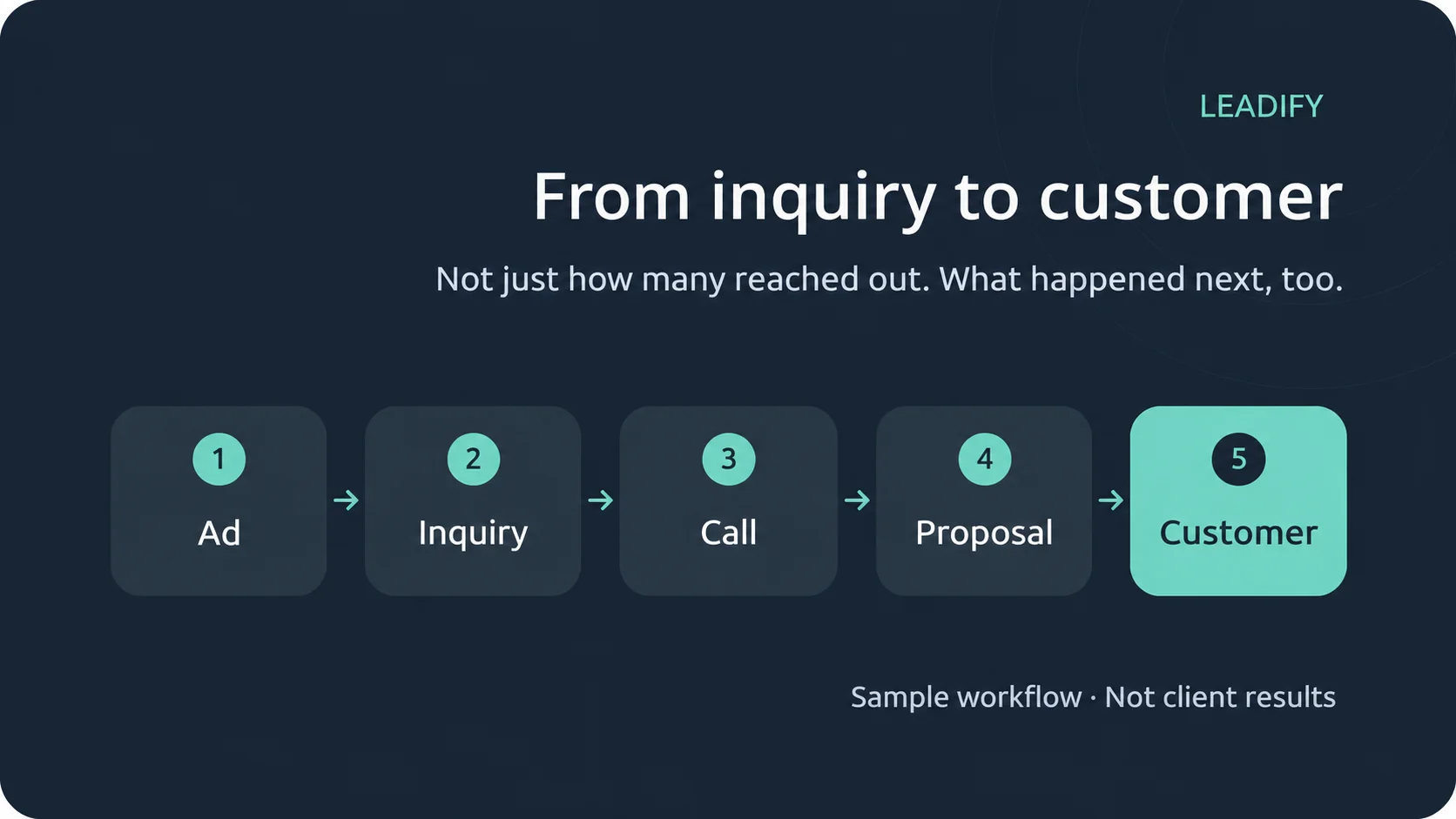
A campaign can bring in plenty of inquiries and still not generate enough work. To understand whether Facebook advertising pays off for your business, you need to look at what happened after someone left their details: whether you managed to talk to them, whether your service fits their needs, and whether they moved on to a proposal or a purchase.
This guide offers a structured way to plan and evaluate a campaign for a service business, from the offer in the ad to tracking the outcome. It works both for businesses that haven't advertised yet and for businesses that already get inquiries but don't know where the process gets stuck.
Define what counts as a relevant inquiry
Before you create an ad, write down who your service is for and what needs to be true for you to provide it. For example: the type of business or customer, the service requested, the service area, and the preferred timing. Choose only the conditions that genuinely affect fit. Not everyone who doesn't buy right away is a low-quality inquiry.
It helps to distinguish between three situations: someone you couldn't reach, someone you spoke with who isn't a fit, and someone who is a fit but hasn't decided yet. Mixing them up can lead you to change the campaign when the real problem is scheduling the call or the proposal you sent.
Write an offer people can understand without an explanatory call
A good ad should answer a simple question: what are you offering me, and why should I look into it now? Say what the service includes, who it's for, and what the next step is. If there's a condition that changes whether it's worth it, like a minimum order or a service area, don't hide it until the sales call.
Purely as an example, a business that builds websites could invite business owners to a call about building a business website. Wording like "We'll look at what your site needs to show and how customers will contact you" explains what will happen on the call without promising revenue or a result that can't be guaranteed in advance. Don't write "free consultation" or make any other commitment if that isn't a service the business actually provides.
Choose between an instant form, a landing page, and WhatsApp
Meta lets you build different inquiry paths. The choice isn't just about design: it determines how much explanation the customer gets, what information you collect, and who needs to handle the inquiry. Before setup, check which options are available in your account and pick one path to test, instead of spreading the budget with no way to compare.
Meta Instant Forms
Instant Forms is Meta's lead form option. The company's guide distinguishes it from a form on your website and describes the option to use fields that are prefilled with details the person has already given Meta. It's a way to reduce typing, but an easy submission isn't proof of purchase intent.
Source: Meta's guide to lead forms
It's worth testing when the offer is simple and can be understood from the ad and the form's intro. Explain what will happen after submission and choose a qualifying question you actually need, such as the type of service requested. Don't stop at counting forms: check how many people knew what they were inquiring about and how many were a fit for the offer.
A landing page on your website
A form on your website is worth testing when you need room to show your process, work examples, and answers before someone reaches out. Here you also need to check what happens between the ad and the form: whether the page loads on a phone, whether the message matches the ad, and whether the button and submission work.
If people reach the page but don't complete an inquiry, don't blame the audience right away. First check the flow of the explanation and the form. Leadify's guide to improving landing pages covers this part of the process in more detail.
Further reading: Guide to improving landing pages
An ad that opens a WhatsApp chat
Click to WhatsApp ads on Facebook and Instagram can open a chat with the business on WhatsApp, according to WhatsApp Business's official description. It's a path worth considering when qualifying someone takes a few short questions or when the customer prefers to message.
Source: WhatsApp Business on ads that click to WhatsApp
The operational implication is clear: someone has to be responsible for replying and keeping records. A click to start a chat isn't a deal, and a conversation that has started isn't necessarily a qualified inquiry. Define what you ask, when you move to a call or a proposal, and how you record the outcome in your tracking. If you can't handle the messages, don't choose this path just because the button looks convenient.
Ask a few questions, each with a clear purpose
Every question on the form needs a reason. A question like "Which service do you need?" can help route the inquiry. "Where do you need the service?" is relevant if the business serves a limited area. "When would you like to start?" can help prioritize follow-up, but it doesn't necessarily justify ruling out someone who's interested for later.
Avoid collecting information you don't need to handle the inquiry. Make sure the form's wording explains what will happen after submission, and don't send people's details to another tool without checking the permissions and how the data will be used. More questions don't guarantee higher quality; check the actual effect on completion and on how well inquiries fit.
Fit the creative to where people see it
The key message needs to be readable on a phone, without dense text or tiny captions. In a service ad, it's better to explain one offer clearly than to cram all of your services into a single graphic.
For Reels ads, Meta recommends vertical content and placing key messages in areas that aren't covered by the interface. So check the preview in every placement where you plan to advertise, and don't assume a design that looks good in the feed will work in Reels without adjustment. Design guidelines aren't a promise of how a specific campaign will perform.
Source for the design recommendation: Meta for Business on Reels ads
Keep simple tracking you'll actually use
Even a well-organized spreadsheet can help you understand the process. For each inquiry, record the source, the date received, the service requested, the person responsible for handling it, the status, and the date of the next action. If you have a CRM, use it so you don't end up with several conflicting records.
Useful statuses might be "New," "Contact attempted," "Call held," "Proposal sent," "Closed," and "Not a fit." When you mark something as "Not a fit," add a short, defined reason, such as a service you don't offer. Record only the information you need for the work, and limit who can access it.
If you choose an automated integration, test the whole path with a test inquiry before going live: was the record received, was the source saved, and does the person responsible know they need to handle it? A technically successful integration still doesn't prove the inquiry was handled.
Tell the difference between receiving a lead and sending data back to Meta
There are two different actions that are easy to confuse. The first is moving an inquiry from the form into your CRM so your team can handle it. The second is connecting your CRM to the Meta Conversions API to send relevant information about what happened next, subject to the integration settings and data-use permissions.
Meta describes integrating a CRM with the Conversions API as a way to optimize Instant Forms campaigns for lead quality. That doesn't mean every spreadsheet or automated integration sends this data back: simply creating a row in Google Sheets doesn't prove that an event about a qualified customer or a sale was sent to Meta.
Source: Meta Blueprint on the Conversions API for CRM
Before setting up an integration like this, define which business outcome you're recording, make sure your statuses are consistent, and check what is actually being sent and received. Connecting data won't fix a wrong definition of a "quality lead." This is a separate implementation step, not a feature you can assume is already active in your account.
Evaluate cost by business outcome
Cost per inquiry is a starting point, not the bottom line. Divide your media spend by the number of inquiries to get cost per inquiry; divide it by the number of qualified inquiries to get cost per qualified inquiry. Define in advance what counts as "qualified" and use the same definition throughout the evaluation.
Here is a purely arithmetic example, not a client result. Media spend is ₪1,000 (ILS):
| Stage | Count | Media cost per result |
|---|---|---|
| All inquiries | 20 | ₪50 |
| Qualified inquiries | 5 | ₪200 |
| Closed customers | 2 | ₪500 |
This calculation doesn't include campaign management, production, or sales time, so it doesn't prove profitability. Revenue from the deals isn't profit either: you need to factor in the cost of delivering the service.
The inquiry date matters too. Compare groups that have had a reasonable amount of time to move through the sales process; yesterday's inquiries aren't a fair comparison with inquiries that have been worked for a month. When you have few results, avoid drawing sharp conclusions from small changes in the numbers.
Decide what to change based on where the process stalls
The following table is a diagnostic tool, not an automatic verdict on what went wrong with the campaign:
| What you see | What to check | A possible action to test |
|---|---|---|
| Inquiries for a service you don't offer | The ad wording and the offer | Clarify what's included and who the service is for |
| Qualified inquiries with no response | Whether contact details are valid, and follow-up attempts | Assign an owner and a follow-up time |
| Page visits with no inquiry | Mobile experience and the form, end to end | Fix a bug or clarify the next step |
| Calls that don't progress to a proposal | Whether expectations match the offer | Find out the objections and update the explanation |
Pick one hypothesis to test and document what changed. Changing the offer, audience, form, and creative all at once makes it hard to tell what made the difference. Also keep records of media spend and of follow-up outcomes, not just a screenshot of the number of inquiries.
Questions to settle before you start
Do I need a website to test a campaign?
Not every inquiry path relies on a landing page, but you do need a working destination and clear information about the service and what happens next. Check which options are actually available in your account before choosing a path.
How much should I invest?
There's no amount that's right for every business. The budget should match what the business can allocate to testing, the profitability of the service, and your capacity to handle inquiries. Ask for the media budget to be kept separate from management and production costs.
How do I know the campaign is working?
When you can connect the spend to relevant inquiries and business results over time. The number of impressions or inquiries alone isn't enough, and no sale on day one isn't a verdict on the whole campaign either.
The next step for your business
Before increasing your budget, get your offer, inquiry path, and tracking in order. That way you can see what needs improving and have a fact-based conversation about results, instead of guessing from the number of leads.
Want to take a closer look at your business's paid advertising? On Leadify's paid campaigns page, you can read about the service and get in touch about your needs.
The first step
You have a goal. Let’s turn it into a digital system that works.
Leave your details for a focused introduction. No commitment and no generic proposal before we understand the goal.