
Systems and automation
Resume Screening Systems: What to Check Before You Choose
Resume screening systems save you from opening every file by hand, but not every system fits your business. What to check before you choose: Hebrew, reasoning for each decision, integrations, discrimination, and privacy.
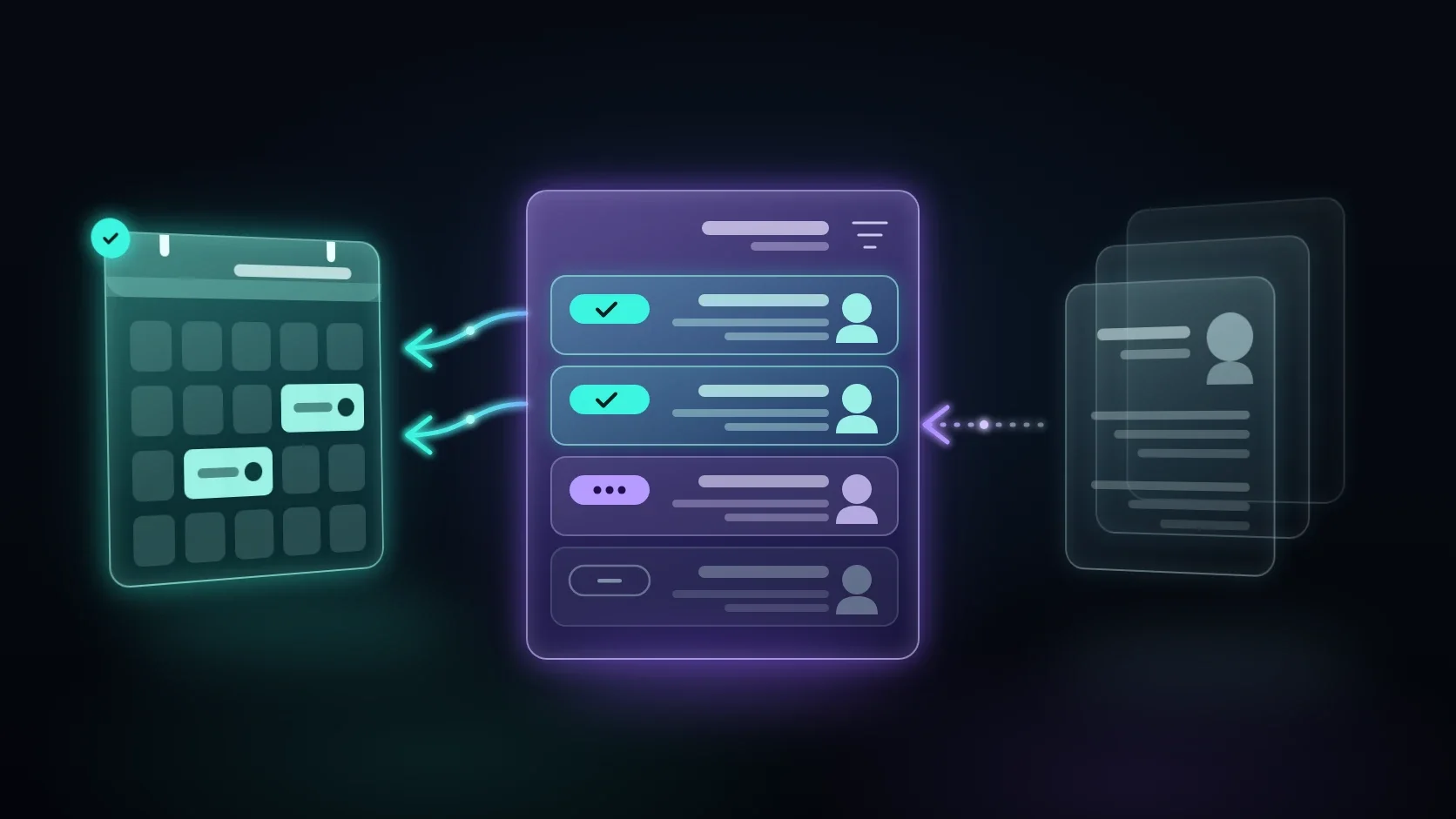
Resume screening systems are built to solve a problem anyone who has hired knows well: one job post brings in dozens of files, and someone has to open each one, compare it to the requirements, and decide what happens next. A good system does the reading and comparing for you and leaves the decision to you. The wrong system adds another screen, quietly rejects good candidates, and creates a legal risk you did not think about.
In this article you will find what these systems actually do, how the different types differ, and what to check before you choose: Hebrew, reasoning for every decision, integrations with the systems you already have, discrimination, and privacy. At the end there is also a simple way to start with a pilot and measure whether it works.
What resume screening systems actually do
Behind the general name there are several separate stages. They are worth knowing, because different systems are strong at different stages, and what looks like "smart screening" in a demo is sometimes only one of them.
Collecting and reading the files
The first stage is to collect resumes from every place they arrive: the email inbox, a form on the website, job boards, and WhatsApp messages. Then the system has to read them: identify the name, contact details, experience, education, certifications, and area of residence, even when every candidate formatted the file differently. This stage sounds technical, but it determines everything else. If the system read the file incorrectly, its classification will be wrong too.
Comparing against the job requirements
After reading, the system compares what it found to the requirements you defined. There are must-have requirements, such as a specific license or certification, and nice-to-have requirements, such as experience in a related field. Simple systems search the file for exact words. More advanced systems try to understand meaning, for example recognizing that someone who wrote "field service technician" is also a fit for a job looking for an "air conditioning technician" if their experience is relevant.
Classification, ranking, and reasoning
The result of the comparison is usually a classification: a fit, not a fit, or needs review. Some systems also give a score or a ranking. The important difference is whether the system explains why. A classification without reasoning is a black box: you do not know whether the candidate was rejected because of a real requirement or because of a file that was not read well. A short explanation next to each candidate lets you check the system, correct it, and explain the decision if someone asks.
What happens after screening
Screening is only part of the road to an interview. After it come follow-up questions (availability, expectations, confirmation of a certification), scheduling an interview in the calendar, and updating candidates who did not move forward. Some systems stop at screening, and some continue into these stages as well. When you compare systems, it is important to check where each one ends, because that is where manual work starts again.
What a screening system does not do
It is also worth knowing what not to expect. Resume screening systems do not know whether a candidate will get along with the team, whether they are reliable, or whether what they wrote in the file is true. They read what was written and compare it to what you defined. If the requirements you defined do not describe the role well, the system will screen quickly and consistently according to the wrong requirements. That is why they do not replace the interview and the recruiter's judgment. They free up the recruiter's time so it can go to the candidates who are really worth talking to.
Three types of systems, and how they differ
When you look for recruiting software or a candidate screening system, you usually end up with one of three types. No single type is always better. The right fit depends on how much you hire, for which roles, and what you already have in place.
An applicant tracking system (ATS) with keyword screening
An applicant tracking system, also called an ATS, is first of all an organized place for all your candidates: who applied, for which job, what stage they are at, and what was written about them. Many systems of this kind also include basic screening: knockout questions in the application form, or a word search in the file. The advantage is order and documentation. The drawback is that the screening is rigid: a candidate who described their experience in different words may be rejected even when they are a fit.
An AI-based screening tool
These tools use a language model to read resumes and compare them to the job description at the level of meaning, not only at the level of words. They can recognize relevant experience that was written differently, summarize each candidate in a few lines, and suggest a ranking. Some tools stand alone, and some are built into applicant tracking systems. This is where questions about reasoning, bias, and privacy come up most, because it is harder to see how the tool reached its decision.
An AI agent built around your hiring process
The third option is to build an AI agent that works inside your existing process, instead of buying a system with a fixed one: it reads files from your email and form, classifies them by your criteria with reasoning, sends follow-up questions to suitable candidates, and puts interviews straight into the calendar. If the term is new to you, it is worth reading What Is an AI Agent, and How Is It Different from a Chatbot first. The agent connects to the systems you already have, through tools such as Make and n8n. The advantage is a complete fit. The drawback is that it needs good scoping up front, and someone to maintain it when jobs change.
When an organized spreadsheet is enough
Not every business needs a system. If you hire once every few months and receive a handful of files per job, an organized spreadsheet with fixed columns and a reply template for candidates may be enough. Resume screening systems start to pay for themselves when hiring is ongoing, when there are several open jobs at the same time, or when good candidates get lost because no one managed to get back to them in time.
Example: a service company hiring technicians
Imagine a service company that hires field technicians almost every month. Resumes arrive by email, through a form on the website, and in WhatsApp messages. The office manager opens them when she has time, copies details into a spreadsheet, and calls candidates to check their driver's license and work area. When another job post goes up, some candidates wait days for an answer.
In a company like this, an applicant tracking system will organize the list, but someone will still have to read every file. An AI-based screening tool will read the files, but it may not connect to WhatsApp and to the service manager's calendar. An agent built around the process can collect the files from every channel, classify them by the requirements the company set, ask suitable candidates about their license and availability, and offer them an interview slot. None of the options is always right. The question is where the company's process gets stuck today.
What to check before you choose resume screening systems
A system demo always looks good, because it is built on clean files and a simple job. The checks here are meant to show how the system will work for you, on your real files, jobs, and systems.
Hebrew and real-world files
The first check is Hebrew. Resumes in Israel arrive in Hebrew, in English, and in a mix of both, sometimes with broken text direction, tables, columns, and photos. Ask to test the system on real files from your latest hiring round, after removing identifying details from them, and not on the vendor's samples. Also test files in less convenient formats: a photo of a resume taken on a phone, a scanned file, or text sent in a message. Whatever the system cannot read should go to manual review, not be quietly rejected.
Criteria you set, and reasoning for every decision
Ask who defines the criteria for each job and how they are changed. A good system lets you define must-have requirements, nice-to-have requirements, and reasons for rejection, in your own words. Then it shows next to each candidate why they were classified that way. If the vendor cannot show you this kind of reasoning, you do not really know what the system is doing. This also matters for improvement, because every time a recruiter changes the system's classification, you learn which criterion needs to be sharpened.
What happens with edge cases
Ask what the system does when it is not sure. A candidate with a gap in their resume, a candidate moving over from another field, or a file with missing details. The right answer is a "needs review" classification with an explanation, not an automatic decision. It is also worth checking whether you can require a person to approve every rejection before a message is sent to the candidate, at least in the first period.
Integrations with the systems you already have
A screening system that does not connect to the rest of the process creates double work: candidates are copied from it to a spreadsheet, from the spreadsheet to the calendar, and from the calendar to messages. Before you choose, write down where resumes arrive today, where candidates are managed, which calendar you use to schedule interviews, and which channel you use to talk to candidates. Then check which of these integrations the system supports, and which require development. If you need to connect several tools, the page about the automation tools used to build these connections will help you understand what is possible.
Communication with candidates
Some systems send messages to candidates on their own: a confirmation of receipt, follow-up questions, an interview invitation, or a notice that the candidate is not a fit. Check how the messages sound, whether you can edit them, and which channel they are sent through. If the system holds a conversation with the candidate, also check how it introduces itself. The Privacy Protection Authority's draft guidance on artificial intelligence requires informing a person that they are talking to an automated system and not to a human, when this has a material effect on their consent.
Control and change over time
Jobs change, requirements get updated, and what worked in the last hiring round does not always fit the next one. Ask who can change the criteria, how long a change takes, and what happens when the vendor updates its model. Also check whether you can export the data: if you decide to switch systems in a year, the candidates, the history, and the criteria should stay with you.
Questions to ask the vendor
To keep the comparison between resume screening systems to the point, it is worth asking every vendor the same questions and asking for a written answer:
- Files: which formats can the system read resumes in, and what happens with a file it cannot read?
- Hebrew: on which Hebrew files was the system tested, and can we test it on our own files?
- Reasoning: is an explanation shown next to every classification, and can you still see it months later?
- Control: who changes the criteria, and how long does a change take?
- Human approval: can you set it so that no candidate is rejected and no message is sent without a person's approval?
- Data: where is the data stored, who has access to it, and is it used to train models?
- Exit: how do you export all the data if you stop working with the system?
A vendor who answers these questions clearly and agrees to a test on real files gives you a good basis for a decision. A vendor who dodges them teaches you something just as important.
Bias and discrimination: where automated screening can go wrong
This is the part that is easiest to skip, and also the most expensive to get wrong. A system that screens candidates makes decisions a person used to make, so the obligations that apply to the employer move with it.
What you may not consider when hiring
Israel's Equal Employment Opportunities Law prohibits discrimination in hiring. According to the Equal Employment Opportunities Commission (in Hebrew), the grounds for discrimination in the law include, among others, sex, sexual orientation, personal status, pregnancy, parenthood, age, race, religion, nationality, country of origin, worldview, political party, and reserve duty, as well as place of residence. The law also prohibits setting conditions that are not relevant to the job. The meaning for a screening system is simple: its criteria need to be relevant and related to the role, and it is worth checking with your legal advisor any criterion that touches one of these topics, such as area of residence.
Bias that comes in through the data
Even when you did not define a prohibited criterion, bias can come in indirectly. A system that learned from the people you hired in the past may prefer candidates who resemble them. A graduation year can hint at age, and the name of a town can hint at nationality or religion. Even the wording of a requirement, such as "young and dynamic," introduces bias before the system has read a single file. That is why it is not enough to ask the vendor whether the system is "fair." You need to test it.
How to check this in practice
Here are a few simple checks you can run before launch and during operation. First, go over the criteria for each job and make sure each one is related to the role. Then run the system on a set of files a recruiter has already classified, and compare: where they disagree, and why. During operation, check a sample of rejected candidates from time to time, not only the ones who passed, because a rejection error will not reach you if no one looks for it. And finally, keep the final decision with a person.
What happens outside Israel
If you work with an international vendor, it is worth knowing that in the European Union, the Artificial Intelligence Act (AI Act) classifies AI systems for recruiting and selecting candidates, including analyzing and filtering applications, as high-risk systems. It does not apply directly to every Israeli business, but it explains why serious vendors document the system, allow human oversight, and explain its decisions. A vendor who cannot answer these questions probably has not asked them of itself.
Privacy and candidates' personal information
Resumes are personal information: a name, phone number, address, employment history, and sometimes more sensitive information as well. A screening system collects, stores, and processes all of this, so before you choose, it is worth knowing what applies to you.
What the Privacy Protection Authority says about AI
In April 2025, the Privacy Protection Authority published a draft guideline on how the Privacy Protection Law applies to artificial intelligence systems (in Hebrew) for public comment. According to the draft, the law applies not only to the information fed into the system, but also to information the system infers from it. In a screening system, this means that the classification, the score, and the summary the system writes about a candidate are also personal information about them. The draft also requires a legal basis for processing at every stage, and emphasizes that the Authority recommends a privacy impact assessment. Since this is a draft, it is worth checking the current wording before launch.
The candidate's right of access
According to the Privacy Protection Authority, every job candidate has the right to review the assessment prepared about them as part of the hiring process. The guidance on this topic was written about candidate assessment institutes, and it is not clear in advance how it applies to a classification produced by an AI system. That is why it is worth choosing a system in which the reasoning for each candidate is saved and accessible, and checking with your legal advisor what you need to provide to a candidate who asks to see what was written about them.
Information you do not need for screening
Resumes often contain more than screening needs: a photo, date of birth, marital status, ID number, and sometimes health information. Information like this does not help decide whether a candidate fits the role, and in some cases it is exactly the information you may not consider. So it is worth checking whether the system can ignore such fields, or remove them before the file reaches the model. By the same logic, the follow-up questions the system sends to candidates should ask only what is related to the role: availability, work area when it is truly required, certifications, and experience. Every additional question is more personal information that needs to be stored, secured, and eventually deleted.
Storage, access, and deletion
Before you launch a system, decide three things. Where the files are stored, including whether they move to a vendor's servers abroad. Who is allowed to see them, so that not everyone with access to the system sees every candidate. And how long you keep a candidate who was not hired, and what happens after that. Check with the vendor whether your candidates' data is also used to train its model, and whether this can be turned off. And before launch, it is worth checking with your legal advisor whether your privacy policy and the wording candidates see in the form need an update.
How to start, and how to measure that it works
The safe way to introduce automated resume screening is a small pilot, on one job, with clear measurement. This way you learn what the system does well before you rely on it for all of your hiring.
Five steps for a pilot
- Choose one job you hire for on an ongoing basis, with relatively clear requirements.
- Write the criteria: must-have requirements, nice-to-have requirements, and reasons for rejection, and review them against the rules in the section on discrimination.
- Run the system in parallel with the regular work, while a recruiter still goes over all the files, and compare the two classifications.
- Fix the criteria based on what went wrong, and only then let the system send messages to candidates or schedule interviews.
- After a few weeks, look at the numbers and decide whether to expand to more jobs.
What to measure
It is not a good idea to promise yourself numbers before you have data. It is a good idea to define in advance what is supposed to change, and to measure it. The time from application to the first contact with the candidate. How many candidates reached an interview, and how many of them were actually a fit. How many times a recruiter changed the system's classification, and in which direction. And how many files went to manual review because the system could not read them. The number of classification changes is especially important, because it shows whether the system is moving closer to your judgment or further away from it.
What makes up the cost
There is no single price, because the cost depends on the type of system. With an off-the-shelf system, you usually pay a subscription, by the number of users, jobs, or candidates. With an agent built around your process, there is a setup cost (scoping, integrations, and testing), an ongoing cost for using the language model, which depends on the volume of files, and a maintenance cost when the jobs change. In both cases there is also an internal cost: the time of whoever defines criteria, reviews classifications, and handles edge cases. When you compare offers, ask to see all the components, not just the monthly price.
Common implementation mistakes
A few common mistakes in implementing automated resume screening, which are easy to avoid if you know about them in advance:
- Starting with all jobs at once: it is hard to learn what works when every job behaves differently. One job, with measurement, teaches more.
- Copying the job post as the criteria: a job post is written to attract candidates, not to screen them. The criteria need to be more precise, and split into must-have, nice-to-have, and rejection.
- Checking only the ones who passed: rejection errors do not reach your desk on their own. You need to look for them in a regular sample of rejected candidates.
- Forgetting the candidates who did not move forward: a candidate who did not get an answer remembers it. A short, respectful message is part of the process, and also part of the business's reputation.
- Leaving the system without an owner: someone has to review the classifications, update criteria, and handle exceptions. Without an owner, even a good system wears down over time.
Frequently asked questions about resume screening systems
Does a resume screening system decide for me who is a fit?
No, and it should not. A good system classifies and explains, and the decision about who gets an interview and who gets hired stays with you. You can also require every rejection to be approved before a message is sent to the candidate. The more independence the system gets, the more important it is to review its decisions regularly.
What is the difference between an applicant tracking system and AI candidate screening?
An applicant tracking system is mainly an organized place to manage all your candidates and their stages, with basic screening by knockout questions or keywords. AI screening reads the files at the level of meaning, recognizes experience that was written differently, and summarizes each candidate. You can also combine the two: the screening is done with AI, and the results are saved in the applicant tracking system.
Can resume screening systems read Hebrew?
It depends on the system. Some systems were built for English and struggle with Hebrew, mixed text direction, and files with columns. The only way to know is to test on your own real files, after removing identifying details, and make sure that whatever was not read goes to manual review and is not rejected.
Can I connect the screening to a system I already have?
In many cases, yes. Many systems support connecting to an email inbox and a calendar, and some also to applicant tracking systems and WhatsApp. When there is no ready-made integration, you can build one in an automation tool. It is worth checking this during scoping, before you choose, not after.
Is it legal to use AI to screen candidates in Israel?
There is no general prohibition, but the employer's obligations do not change when a system does the screening. The Equal Employment Opportunities Law applies to hiring, and the Privacy Protection Law applies to candidates' information, including what the system infers about them. That is why the criteria need to be relevant, the information needs to be stored properly, and it is worth reviewing the process with your legal advisor before launch.
How long does it take to get started?
It depends on the type of system and the number of integrations. An off-the-shelf system can sometimes be set up quickly, but you still need to define criteria and test them. An agent built around your process requires scoping and integrations. In both cases, a pilot period in which the system works in parallel with a person is part of getting started, not a step worth skipping.
Before you choose a system, map your hiring process
Most problems with resume screening systems do not come from the technology, but from a process that was never defined: criteria that were not written down, jobs that each recruiter interprets differently, and candidates no one is responsible for getting back to. A system dropped into a process like that only speeds up the mess.
So the recommendation is simple. First, write down what hiring looks like for you today: where the files come from, who reads them, what leads to rejection and what moves a candidate forward, and where things get stuck. Then choose the type of system that fits that process, and test it on your real files, jobs, and systems. And all along the way, keep decisions about people with people.
At Leadify we build AI recruiting agents that read every file according to your criteria, explain every classification, and put interviews straight into the calendar, while the decision stays with you. You can find details about the service on the Resume Screening and AI Recruiting Agent page.
Hiring on an ongoing basis and want to see which part of screening you can hand off to an agent? Book a discovery call, and we will go over your hiring process together.
The first step
You have a goal. Let’s turn it into a digital system that works.
Leave your details for a focused introduction. No commitment and no generic proposal before we understand the goal.