
Systems and automation
What Is an AI Agent, and How Is It Different from a Chatbot?
What is an AI agent, and how is it different from a chatbot or standard automation? A clear guide for business owners: how agents work, when they fit, and how to measure results.
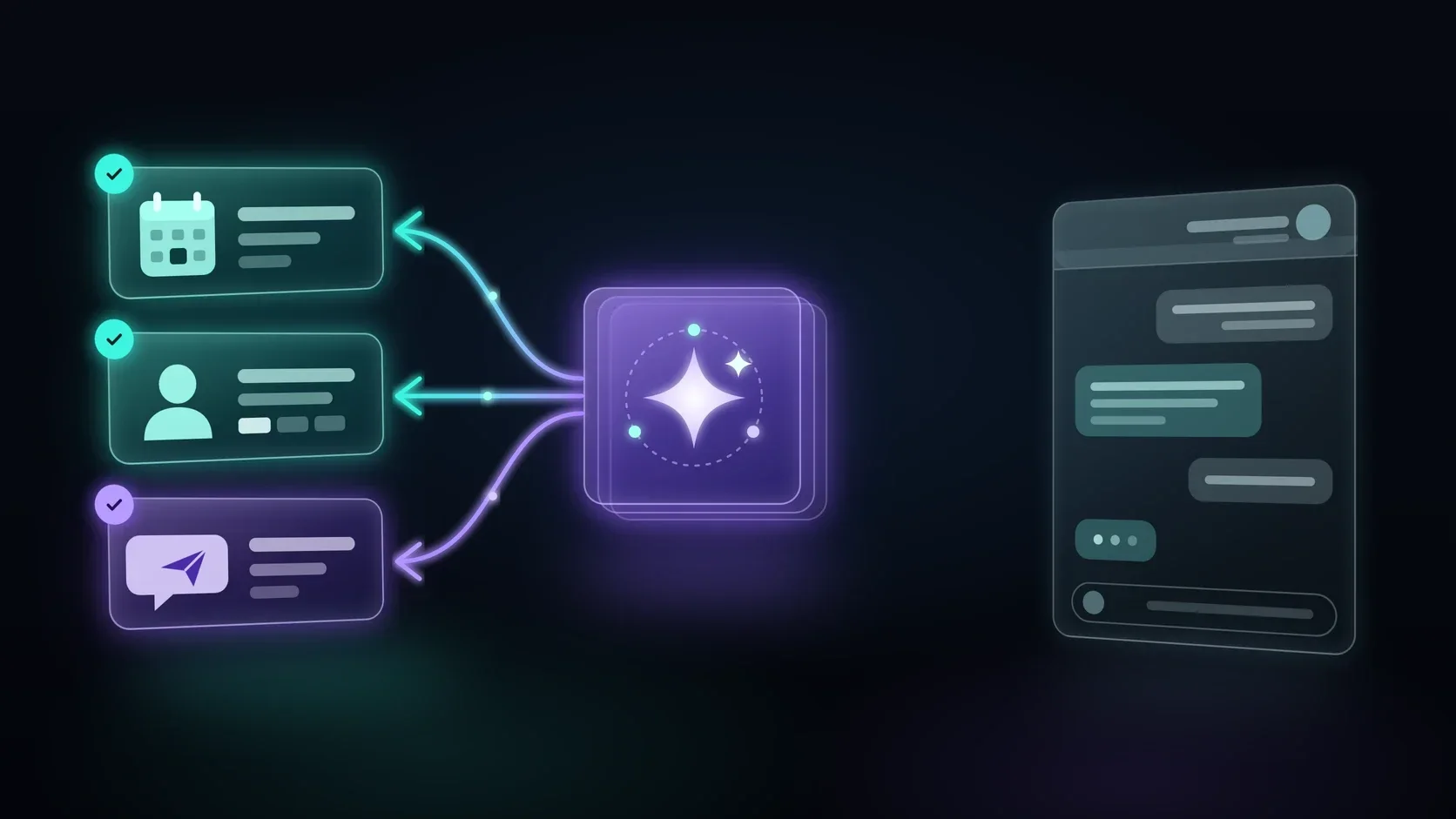
What is an AI agent? It is software that receives a goal, decides on its own which steps are needed to reach it, and carries them out in the business's systems: it checks information, updates records, books meetings, and sends messages. A chatbot, by contrast, is built mainly to answer. The difference sounds small, but it changes the questions you need to ask before bringing a tool like this into your business.
The term "AI agent" now shows up in almost every tech product pitch, so it is easy to get confused. In this article we explain in plain language what an agent does, how it differs from a chatbot and from standard automation, when it is really a good fit for a business, and what to check before connecting it to real systems.
What Is an AI Agent in Practice
Definitions vary from company to company, but most agree on three components: a goal, the ability to act, and context. When one of them is missing, you are usually looking at something else.
A Goal, Not Just an Answer
A chatbot receives a question and returns an answer. An AI agent receives a task, for example "schedule an intro call with everyone who left their details on the website today." To complete it, the agent has to break it into steps: identify the new inquiries, check who has already been answered, look for open slots in the calendar, send a proposed time, and record the outcome.
The Ability to Act in Your Systems
This is what separates an agent from a conversation tool. An agent has access to tools: a calendar, a CRM, an inbox, a spreadsheet, an order system. It does not just say what needs to be done. It actually does it, within the permissions it was given. That is why the first question to ask about any agent is not what it knows, but what it is allowed to do, and in which systems.
Context and Memory
A good agent knows what has already happened. It knows the customer reached out yesterday, received a quote, and asked to be called back only in the afternoon. Without that context every conversation starts from zero, and the result is duplicate messages and questions the customer has already answered.
Initiative: It Does Not Always Wait to Be Asked
A chatbot starts working only when someone writes to it. An agent can also act on an event or on a schedule: a lead that has not received a reply within an hour, a meeting tomorrow that has not been confirmed yet, a document that just arrived in the inbox. In cases like these it checks the situation, decides whether action is needed, and either acts or alerts a person.
A Useful Distinction: Defined Workflow vs. Agent
Anthropic, the company that develops the Claude language model, distinguishes between two types of systems. In an article they published on building agents, they describe "workflows," where the language model and tools follow a path predefined in code, and "agents," where the model decides on its own how to proceed and which tools to use.
This distinction matters to business owners because it answers the question "who decides the next step." In a defined workflow, you decided in advance. With an agent, the model decides in real time, within the limits you set.
The Difference Between an AI Agent, a Chatbot, and Standard Automation
These three terms often get mixed up. Here are the differences, from simplest to most complex.
Script-Based Chatbot
This is the classic bot: a tree of questions and answers, buttons, and choices. "To check an order, press 1." It is predictable, relatively cheap to maintain, and breaks the moment a customer writes something that was not planned in advance.
Language Model Chatbot
A bot that understands free text and replies in natural language, usually based on the business's knowledge base: FAQs, terms of service, an internal price list. It is far more flexible, but it usually still only answers. If the customer asks to book a meeting, the bot will explain how to do it, but it will not book it.
Standard Automation
Automation is a fixed sequence of actions triggered by an event: a lead comes in, a CRM record is created, a message goes out, a task opens for a rep. It does not talk to anyone and does not decide anything. It runs what it was configured to run. For a detailed explanation of how to build a process like this, see our guide to business automation.
AI Agent
An agent combines both worlds: it understands language like a language model chatbot, and it acts in systems like automation. The difference is that it sets the order of actions itself based on the situation, not according to a diagram someone drew in advance.
Google Cloud describes the difference in a similar way: in its explainer on AI agents, it says a bot follows predefined rules and responds to commands, while an agent works toward a goal, plans steps, and makes decisions with a higher level of autonomy.
What About an AI Assistant?
There is one more term that appears alongside these two: AI assistant. Google Cloud places it in the middle, between a bot and an agent. An assistant understands free text, responds to requests, and can suggest an action or complete a simple task, but the user makes the decision. A familiar example is an assistant that drafts an email, summarizes a document, or suggests a meeting time, and then waits for your approval.
The difference from an agent again comes down to initiative and responsibility. An assistant works when you activate it, and decides for you only what to suggest. An agent receives a goal and works toward it on its own, within the limits you set. Both can work in the same business: the assistant supports the team, and the agent runs the process.
In short, here is how the four types compare:
- Script-based chatbot: answers from a fixed tree, and the script decides the next step. It usually does not act in business systems, cannot handle an unexpected case, and its predictability is very high.
- Language model chatbot: answers in free text, and the user leads the conversation. It usually does not act in business systems, handles unexpected cases only within the conversation itself, and its predictability is medium.
- Standard automation: runs a fixed sequence of actions, and the original configuration sets the next step. It acts in business systems, cannot handle an unexpected case, and its predictability is very high.
- AI agent: plans and carries out steps toward a goal, and decides the next step itself, within limits. It acts in business systems and handles unexpected cases, which also means it can make mistakes. Its predictability is lower, so it needs oversight.
Example: One Inquiry, Four Different Responses
Imagine a renovation business that receives a message at 11:00 p.m. (23:00): "Hi, I need to renovate a shower. Can someone come take a look this week? I'm only available in the mornings."
A script-based chatbot will send a menu: "For a price quote press 1, for customer service press 2." The customer has to adapt to the bot.
A language model chatbot will understand the request, politely reply that the business does shower renovations, and ask the customer to leave a phone number so someone can call back tomorrow.
Standard automation will open a CRM record, send the customer a "We received your inquiry" message, and create a task for a rep. It will not read the words "only in the mornings."
An AI agent will read the message, understand that this is a request for a site visit with a time constraint, check the team's calendar for open mornings this week, and offer the customer two time slots. Once the customer picks one, it will book the visit, update the CRM record, and notify the relevant team member.
All four responses are legitimate. The question is which one fits your process, and how much risk you are willing to take.
AI Agent for Business: Where It Fits, and Where It Does Not
An AI agent for business does not have to talk to customers. Some of the most useful applications happen behind the scenes. Here are a few general scenarios that show the range of possibilities, followed by the signs that help you decide whether an agent is really the right solution.
Customer Service
The agent answers incoming inquiries, identifies the customer by phone number or email, checks their history in the system, and replies based on what it finds. If the customer asks about an order status, the agent checks it and answers. If it is a complaint, it summarizes the case and hands it to a rep.
Sales and Lead Handling
A new lead comes in from a website form. The agent sends a message, asks two or three questions to understand what the lead needs, classifies the lead based on the answers, and schedules a call with the right salesperson. If the lead does not respond, the agent follows up according to the rules that were set, and no more than that.
Recruitment
A systems company hiring technicians receives dozens of resumes a week. An agent can read every file, check it against the defined job requirements, send follow-up questions to suitable candidates, and give the recruiter an organized list with the reasoning behind each recommendation. The decision about who gets an interview stays with the recruiter.
Back Office
Supplier invoices arrive by email in different formats. The agent identifies an email that contains an invoice, extracts the details, checks that the supplier exists in the system, and prepares a record for the bookkeeping team to approve. An invoice that does not match any open order is flagged for manual review.
All four scenarios have something in common: the agent does the work of gathering, checking, and coordinating, and a person makes the decisions that truly require judgment.
Still, not every process needs an agent. In many cases simple automation will do the job more predictably and at a lower cost. In the article mentioned earlier, Anthropic also recommends starting with the simplest solution and adding complexity only when it is needed.
Signs an AI Agent May Be a Good Fit
- Inquiries arrive in free, varied language, and you cannot predict every way people will phrase them.
- Handling an inquiry requires checking information in several places and deciding based on what you find.
- The process includes several steps whose order changes from case to case.
- There is a timing gap: inquiries arrive when no one is available to answer, and the first response matters.
- Team members spend time on repetitive coordination instead of on their actual professional work.
When Simple Automation Is the Better Choice
- The process is identical every time: the same trigger, the same actions, the same order.
- A single mistake can be costly, for example when charging a customer, deleting data, or sending a document to the wrong recipient.
- The business's data is not organized yet. An agent working with duplicate or missing data will spread the mess faster.
That last point is especially important. Before connecting an agent to a CRM, make sure the CRM itself is clean. We covered this in our article on duplicate leads in a CRM and how to prevent them.
How to Spot an "AI Agent" That Is Really a Chatbot
The term is popular, so it also appears on products that are really a chatbot with a new interface. Adding a language model to a bot improves its wording, but it does not turn it into an agent. When you evaluate a tool or a vendor, ask a few simple questions:
- What actions does it actually perform? Not what it can say, but what it changes in your systems: the calendar, the CRM, orders, documents.
- Which systems is it connected to? And what exactly are its permissions in each one.
- Can it start acting without someone reaching out to it? For example, following up with a lead who did not reply, or flagging a task that got stuck.
- What happens when it is not sure? Is there a handoff to a person, and what does it look like.
- Where can you see what it did? A full log of every action is a requirement for oversight and for fixing mistakes.
If the answers boil down to "it answers questions naturally," you are looking at a good chatbot. That may be exactly what your business needs, but it is worth knowing what you are buying.
What an AI Agent for Business Is Made Of
Behind the general name there are several components, and each one affects the quality of the result.
The Language Model
This is the "brain" that understands text, draws conclusions, and decides what to do. The model affects the quality of understanding, the quality of its Hebrew, the response speed, and the cost of each action. Choosing a model is a technical decision, but it is worth testing against your business's real conversations, not just generic examples.
Instructions and Limits
The agent needs to know its role, what tone to use, what it is allowed to do, and what it is not. "Do not offer discounts," "do not commit to a delivery date," "hand any refund question to a rep." These instructions are a central part of the work, not a detail you add at the end.
System Connections
To act, the agent needs access to tools: a calendar, a CRM, an order system, WhatsApp, or email. Every connection like this is also a permission, so it is important to decide in advance what the agent may read, what it may change, and what it may only suggest. This is where the agent meets the business's digital systems, and the quality of the connection largely determines the quality of the result.
Knowledge Sources
Terms of service, FAQs, service descriptions, internal procedures. An agent that answers based on up-to-date documents will make fewer mistakes than one that relies only on the model's general knowledge. When the documents change, what the agent reads needs to be updated too.
Handoff to a Person
This may be the most important component. A good agent knows how to recognize when it is unsure, when a customer is upset, and when a topic is sensitive, and then hands the conversation to a person together with a summary of what has already been said. A handoff like this is part of the design, not a sign of failure.
Risks to Know Up Front
An AI agent is a powerful tool, and that is exactly why its mistakes matter more than the mistakes of a bot that only answers. These risks do not mean you should give up on an agent. They mean you need to plan it like any other business process: with defined permissions, oversight, and clear ownership.
Overconfident Answers
Language models can phrase a wrong answer with complete confidence. In a chatbot, that is an inaccurate answer. With an agent, it can be a meeting booked at the wrong time or a record updated by mistake. That is why it makes sense to start in a mode where the agent suggests an action and a person approves it, and only later expand its autonomy.
Permissions That Are Too Broad
The safe rule: give the agent only the permissions it needs for the defined task. An agent that books meetings does not need access to invoices. An agent that answers questions does not need permission to delete records.
Personal Data and Privacy
An agent that works with customers is exposed to names, phone numbers, and sometimes more sensitive information. Before launch, map out what information it collects, where that information is stored, who can access it, and how you explain to customers who they are talking to. Review the legal side with a lawyer who knows Israeli privacy protection law before connecting the agent to real customer data.
Cost and Response Time
Every step an agent takes is a call to the language model, so a multi-step task costs more and takes longer than a single bot reply. Anthropic says this explicitly: agentic systems often trade speed and cost for better performance. In a process where speed is critical or volume is very high, this is a real consideration.
Dependence on a Vendor and a Model
An agent built entirely around one tool or one model depends on the vendor's decisions: a change in price, terms of use, or model behavior directly affects your work. Make sure in advance that the instructions, knowledge sources, and connections are documented on your side, and that they can be moved to another tool if needed. That does not mean building everything from scratch. It means knowing what is yours and what belongs to the vendor.
Long-Term Maintenance
An agent is not a project that ends on launch day. Services change, procedures change, systems get updated, and the agent needs to change with them. Decide in advance who is responsible for reviewing it and how often.
How to Get Started, and How to Measure Whether It Works
Most mistakes in a project like this can be prevented at the planning stage. Here is a work sequence that suits most businesses, followed by what to measure to know whether the agent is really helping.
Five Steps to Get Started
- Pick one process. Not "an agent that will run all of customer service," but a defined task: a first response to website inquiries, scheduling meetings, or initial screening of inquiries.
- Map the process as it works today. Who handles it, in which systems, which decisions are made along the way, and where things fall through the cracks.
- Set the limits. What the agent does on its own, what it proposes for approval, and what always goes to a person.
- Test in a controlled environment. Run the agent on sample conversations and edge cases before it meets customers.
- Launch gradually and measure. Start with some of the inquiries or certain hours, read the conversations, fix what needs fixing, and only then expand.
The step people tend to skip is the second one. Mapping the process sounds like unnecessary work, but that is exactly where the exceptions show up: a customer who writes from two numbers, an inquiry that arrives both by email and on WhatsApp, a decision that always goes through one specific person. An agent that does not know about these exceptions will handle them wrong, so write them down before you write the first instructions.
If you want to see what systems built around a real workflow look like, the Leadify portfolio showcases systems such as iLeadify and Freelancer.
What to Measure from Day One
There is no point in promising numbers before there is data. What you can do is define in advance what is supposed to change, and measure it from day one.
- Time to first response: how long it takes from the moment of the inquiry until the customer receives a real answer, not just a confirmation of receipt.
- Completion rate: in what share of conversations the agent completed the task without help, and in what share it handed off to a person.
- Handoff quality: when a conversation moves to a rep, whether the summary is enough to continue without asking the customer again.
- Errors: how many wrong actions there were, of what type, and what was fixed as a result.
- Team workload: how much time the team spends on coordination and first responses compared with the period before.
Before launch, capture a baseline: how many inquiries come in each week, how long the first response takes today, and how many fall through the cracks. Without a baseline like this, it is hard to know whether the change you see comes from the agent, from a busy period, or from a change in a campaign.
Review this data together with reading real conversations. Numbers show a trend, and conversations show why it is happening.
Frequently Asked Questions About AI Agents
Does an AI agent replace employees?
In most businesses it replaces tasks, not roles. It is especially suited to repetitive work: first responses, coordination, collecting details, and updating systems. Professional decisions, personal relationships, and complex cases stay with people.
Can an AI agent work on WhatsApp?
Technically yes, through the official WhatsApp connection for businesses. That connection has its own rules and limits, so check them before you design the agent around it.
What is the difference between an AI agent and ChatGPT?
ChatGPT is a general chat interface that a person operates. An AI agent for business is built for a specific task, connected to the business's systems, follows the instructions and limits the business has set, and can carry out actions without someone typing in every step.
Does an AI agent understand Hebrew?
The leading language models understand and write Hebrew well, but quality varies between models and between types of text. Professional terminology, slang, spelling mistakes, and voice messages are exactly the places worth testing. The right approach is to run the agent on the business's real inquiries, in the Hebrew your customers actually write, before it starts answering them.
How long does it take to set up an AI agent?
It depends mainly on the number of systems that need to be connected, the state of the data in them, and the complexity of the process. An agent that answers questions from a single knowledge base is simpler than one that schedules meetings across a calendar, a CRM, and WhatsApp. Scoping is the stage where it becomes clear what is required.
How much does an AI agent for business cost?
There is no single price, because the cost is made up of several parts. There is a setup cost: scoping, building the instructions, connecting to systems, and testing. There is an ongoing cost for using the language model, which depends on the number of inquiries and the number of steps in each task. And there is a maintenance cost: updating the instructions, knowledge sources, and connections as the business changes. What affects the cost most is the number of systems to connect and the level of autonomy the agent gets. That is why it makes sense to start with one process, measure, and only then expand.
What is a multi-agent system?
In more complex systems, the work is split among several agents, each with a defined role: one classifies inquiries, another schedules meetings, a third prepares summaries. Google Cloud also notes that agents can work with other agents to carry out more complex processes. For most businesses it makes sense to start with one agent and one task, and expand only once it works well.
Do you need technical knowledge to work with an AI agent?
To use it in day-to-day work, no. To set it up, connect it to systems, and define its limits, yes. That is why in most businesses the setup is done with a professional, and day-to-day operation moves to the team.
Before You Choose a Tool, Map the Process
An AI agent is not an off-the-shelf product. It is a way to build a process: who does what, in which systems, and when a person steps in. A business that defines this in advance gets an agent that works for it. A business that starts with the tool usually finds it has built something impressive that does not solve the problem.
So the answer to the question "what is an AI agent" is ultimately a business answer, not a technology one: it is a digital worker that receives a defined task, defined tools, and clear limits. The better the task, the tools, and the limits are defined, the easier it is to trust it, measure it, and improve it over time.
At Leadify we always start with the process. On a discovery call we will understand where your time is being lost, check whether an AI agent is really the right solution or whether simple automation is enough, and define what needs to change and how we will measure it. You can find details about the service on the Business Automation and AI Agents page.
Want to find out whether an AI agent fits your business? Book a discovery call, and we will get back to you to go over your process together.
The first step
You have a goal. Let’s turn it into a digital system that works.
Leave your details for a focused introduction. No commitment and no generic proposal before we understand the goal.