
Systems and automation
Duplicate Leads in a CRM: How to Handle Them Without Losing Inquiries or Data
Practical decision rules for duplicate leads in a CRM: when to link records, when to open a new inquiry, when to block a duplicate event, and how to keep data before merging.
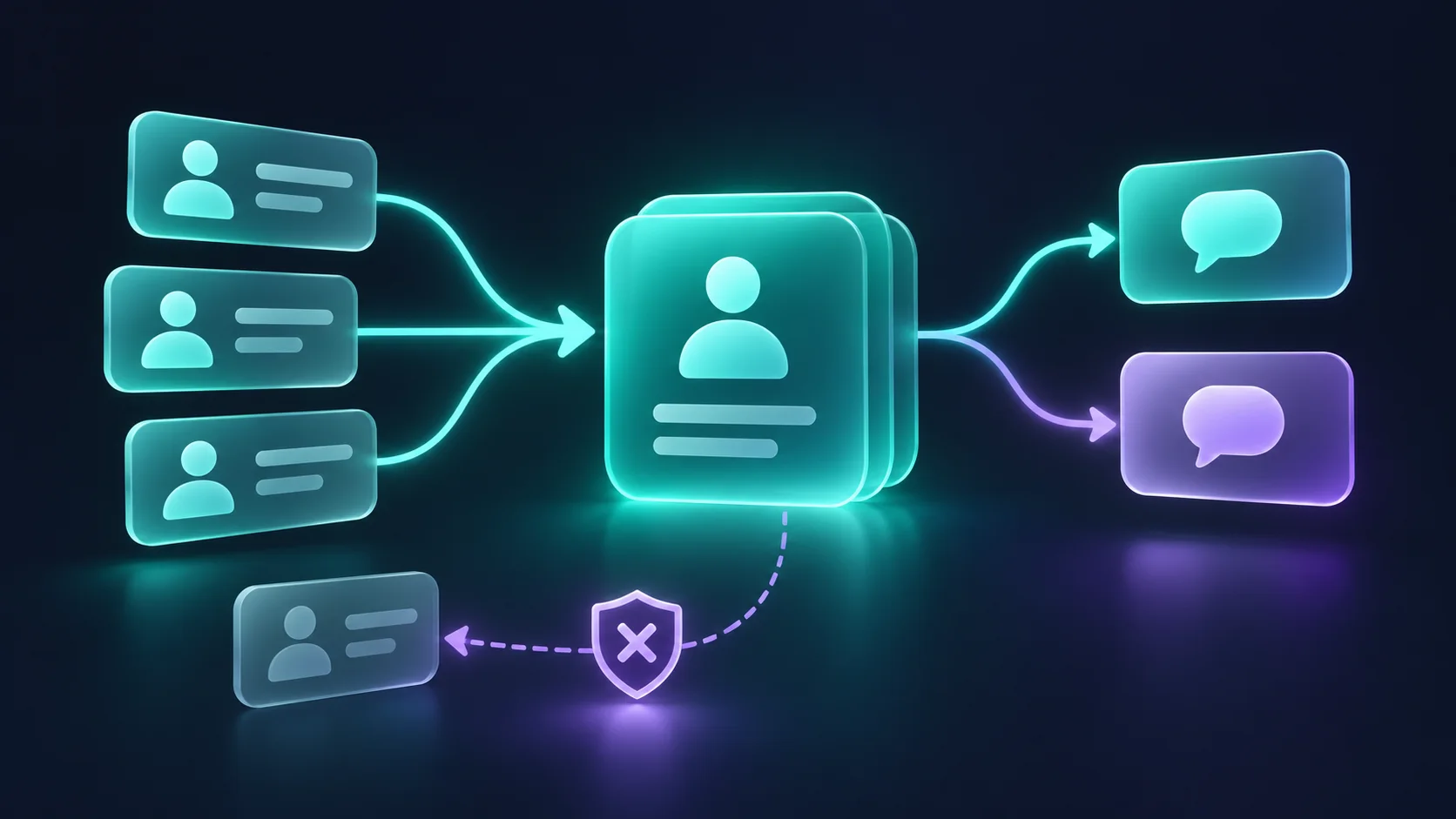
Duplicate leads in a CRM are handled correctly when you first separate three different situations: the same person who signed up twice, the same person who comes back with a new need, and the same technical event that reached the system more than once. Each situation calls for a different action. A duplicate person is linked or merged after review. A new inquiry from an existing person is kept, and it opens work according to your business process: an inquiry, a task, or a deal, under the existing contact. A duplicate technical event is caught at intake with a stable event ID. If you delete every record that looks similar, you lose sources, tasks, and communication preferences. If you do nothing at all, you end up with a team that calls the same customer twice and reports that inflate the number of inquiries. This guide lays out practical decision rules, tests, and points of caution to consider before you set up automatic deduplication.
What Counts as a Duplicate Lead: Three Situations That Look Alike
When you look at a list of leads, two rows with the same name and phone number look like one problem. In practice they can represent three completely different problems. This distinction is the foundation for every rule you build later, so it is worth putting it into words before you touch the system settings.
Same Person, Same Inquiry: A Duplicate Contact
This is the classic case. A person filled out a form on the website, and the next day sent a WhatsApp message about the same topic. A rep created a record for them manually, and the form created another one. There are two contacts in the system, but it is one person with one need. Here the goal is to end up with a single contact record that holds the full history, both sources, and every task that was opened.
Same Person, New Inquiry: New Work Under an Existing Contact
A customer who received a service six months ago reaches out again, this time about a different service. Based on the phone number and email it is the same person, so there is no reason to create a new contact. But it is also not a duplicate to discard. It is a real new inquiry with a new source, a new need, and sometimes a different owner. It is kept, and it creates work according to the business process: in one business that is an inquiry record, in another a task for a rep, and in a third a sales opportunity. You do not always have to open a separate opportunity, but something has to enter the work queue. If the system "swallows" the inquiry into the old record without any follow-up action, it can disappear.
Same Event Delivered Again: A Technical Duplicate
The third case has nothing to do with customer behavior. A form sent the same request twice because the user clicked the button again. An integration between systems got a slow response and tried again. A webhook provider sent the same event one more time. From the business's point of view one thing happened, but the system received two messages. Here you do not need to merge after the fact. You need to recognize that it is the same event and not create a second record from it.
The three situations and the right actions:
- Duplicate contact: one person registered twice for the same need. The right action: link or merge after review, keeping every source.
- New inquiry from an existing person: a known person reaches out with a new need. The right action: keep the inquiry and create work according to the process: an inquiry, a task, or a deal under the existing contact.
- Duplicate technical event: the same submission was delivered again. The right action: catch it at intake by event ID, with no additional record created.
Why Duplicates Happen in the First Place
Duplicates are almost never the result of a single mistake. They appear wherever several channels write to the same system without a shared rule. It helps to map your entry points, the same way we described mapping the lead journey in our guide to business automation, and to ask for each one what happens when the same person comes through it a second time.
The common causes are:
- A person who reaches out on several channels, such as a form, a call, and WhatsApp, with each channel creating its own record.
- Manual entry by a rep who did not check whether the customer already exists.
- Importing an old file or an event list with no unique ID column.
- Several tools synced with each other, each one creating a record when it does not find a match.
- A form submitted again because of a double click or a page refresh.
- An automatic retry by an integration or a webhook after an error or a slow response.
- Two requests that arrive at almost the same moment and check in parallel whether the record exists.
The last two causes are technical, and they are easy to miss because they do not show up in the interface. Even well-known systems do not solve every case on their own. According to the HubSpot Knowledge Base, the system identifies duplicate contacts by email address, and a form submitted with a known address updates the existing contact. But an import row with no email and no other unique ID is created as a new contact, and companies created through the API are not automatically deduplicated by domain there. Every system behaves differently, so check your own system's documentation instead of assuming.
Normalize Identifiers Before You Compare
You cannot detect a duplicate if the same data is stored in several forms. Normalization means bringing an identifier into one consistent form for comparison. The key rule: keep the original value exactly as the customer typed it, and compare using the normalized value. That way you can fix a normalization mistake without losing information.
Phone Numbers: One Consistent Format, No Guessing
The same Israeli mobile number can arrive in several forms: 05X-XXXXXXX, 05XXXXXXXX, +9725XXXXXXXX, or 972-5X-XXX-XXXX. These are patterns for illustration only, not real numbers. If the system compares text as is, the four forms will look like four different numbers. The common solution is to store a copy in a single international format called E.164: the country code followed by the national number, and in the usual display also a plus sign at the start. In the Israeli example, under the local numbering plan, the leading zero of a local number is not included after the 972 country code. This is not a universal rule, and the conversion is different in other countries. Libraries such as Google's libphonenumber split a local number into a country code and a national number according to each country's rules, and can display it in this format.
A few important cautions:
- Do not guess the country. If the form is also used by people abroad, a number without a country code may belong to another country. An explicit country code field or a documented default assumption is better.
- A format check does not prove the number is active. A validity check looks at length and prefixes. It does not tell you the number belongs to the person who reached out, or that anyone answers it.
- Do not trim or fill in digits. A number with a missing digit is an incomplete number. Do not match it to an existing record just because most of the digits are the same.
- Office lines and extensions need separate handling. The main number can be the same for several different employees.
Email Addresses: Consolidate with Care
Email addresses also arrive in different forms, with capital letters, spaces at the ends, or dots. Here normalization needs to be more conservative than it looks at first glance. According to the RFC 5321 standard, the domain name is not case sensitive, but the part before the @ sign is defined as case sensitive. In practice most email services ignore the difference, so comparing that part in lowercase is a reasonable way to suggest a match. It is a suggestion for review, not certainty.
The same goes for dots. Google explains that in a regular Gmail account, dots in the username do not change the address, but in work or school accounts dots do change it. So do not strip dots or anything after a plus sign across the board. A rule like that can merge two different employees at the same company into one record.
A practical order of work for email:
- Remove spaces at the beginning and end of the address.
- Convert the domain to lowercase.
- Store a comparison copy in which the local part is also lowercase, next to the original address, and use it only to suggest a match.
- Do not change dots, plus signs, or other parts of the address without a documented rule for a specific provider.
Empty Fields and Filler Values
Two leads with no phone number are not "a phone match." An empty field is not a value, so it is never a basis for a match. The same is true of filler values people type to get past a form, such as a string of zeros, "test," "none," or a general office address. Keep a short list of values like these and exclude them from your matching rules. A record with a value like this is not deleted. It is flagged as having no reliable identifier and routed for review.
Shared Numbers and Addresses
Not every identical identifier points to the same person. A couple may leave the same phone number. An assistant may reach out on behalf of several managers from the same office number. An address like "office" or "info" may be used by a whole team. If the system merges based on that identifier alone, two different people become one record, and one person's conversation history shows up under the other.
The solution is to accept that some identifiers are weak. A number that appears on several contacts with different names is flagged as shared, and it is not a basis for merging. On its own, it also does not prove that those people belong to the same company or household. Linking to a shared entity like that is done only when there is separate evidence, for example a company name the person provided or a rep's confirmation after a call.
Decision Rules: When to Link, When to Create, and When to Stop for Review
Once the identifiers are normalized, you need to decide what to do in each case. There is no single formula that fits every business, but you can build clear layers. The guiding principle: automatic action only when the match is strong and unambiguous. Everything else goes to a person.
Strong Match, Weak Match, and Conflict
A strong match is a situation where an identifier that the business has defined in its policy as reliable matches an existing record, its value has been verified, and no other identifier contradicts it. For example, a customer ID issued by your own system, or an email address that matches exactly and that your policy defines as a reliable identifier. Only in a situation like this can you link the new inquiry to the existing contact automatically. A match that relies on lowercasing the local part of an email, or on any other normalization that is not certain, is not a strong match.
A weak match is a similarity that is not enough on its own. An identical name, a phone number flagged as shared, an email that matches only after normalization, or a similar name with the same company. A match like this creates a recommendation for review, not an action. HubSpot's duplicate management tool, for example, compares names, email, phone, ZIP code, company name, and other data, and shows suspected pairs for review and approval, as described on the duplicate management page. That is the right direction: the system suggests, and a person decides.
A conflict is the most dangerous situation. The phone number on the new inquiry matches contact A, and its email matches contact B. The person may have changed numbers, family members may share details, or someone may have typed in another person's details. In a case like this, do not merge automatically with either side. Create the inquiry, flag it as an "identifier conflict," and route it for review with links to both records.
A Practical Decision Table
The situation at intake and the right action:
- The event ID was already received and processing is complete. Action: create nothing, return the previous result, and log it.
- The event ID was already received and processing is still in progress. Action: create nothing in parallel, wait for it to finish, and check the result.
- The event ID was already received, and processing failed or its result is unknown. Action: check in the target system whether the record was created, and only then try again. Do not discard the inquiry.
- Strong match, no open work. Action: link to the contact and create new work according to the process: an inquiry, a task, or a deal.
- Strong match, with open work on the same need. Action: add an activity to the existing work and notify the owner.
- Strong match, inquiry about a different need. Action: keep the inquiry and create separate work under the same contact.
- Weak match only. Action: create a record and flag it as a "possible duplicate" for review.
- Identifier conflict. Action: create a record, do not merge, and route it for review with links to both records.
- No reliable identifier. Action: create a record and flag it as "missing identifier."
Notice that in no row of the table is the inquiry itself deleted. Even when it is a duplicate contact, the fact that the person reached out again is information. It tells you they are still interested, and sometimes that they did not get a response the first time.
What Counts as "Open Work on the Same Need"
The difference between the strong match rows depends on a business definition. Decide in advance how long a time window counts as a follow-up to the same inquiry, and which statuses count as "open." If the customer reached out again two days after the first inquiry and it is still in "new" status, it is probably the same inquiry. If the previous inquiry was closed months ago, it is probably a new one. The definition should be written down so that both a rep and an automation follow it the same way.
Technical Duplicates: A Stable Event ID and Idempotency
The third situation, an event delivered again, is not solved by merging. It is solved at intake, before a record is created. The technical term is idempotency: an operation that can be performed again without changing the result beyond the first execution.
A Stable Event ID
The first step is to give each logical submission its own ID, which stays the same across every retry of that submission. A real new submission, for example a person who came back an hour later and filled out the form again, gets a new ID. The ID is created at the source. If the form creates it when the page loads, make sure it changes after a successful submission, so that another real submission from the same page is not mistaken for a retry. The ID also should not be based on the arrival time, because a retry arrives at a different time.
When you combine several sources, it helps to store the ID's source namespace next to it, for example "website form" or "campaign integration." Two different providers can use the same ID value for events that have nothing to do with each other. The combination of source and ID is what needs to be unique.
Stripe's documentation explicitly recommends not using the timestamp to decide whether an event has already been processed, and tracking event IDs to detect duplicate deliveries. It also notes that an endpoint may receive the same event more than once, and that delivery order is not guaranteed.
The practical meaning for a business that receives leads from several sources: if the integration provides an event ID, store it together with the source and check it before creating anything. If it does not, you can create a fingerprint from the inquiry data, such as the source, the form, the normalized identifier values, and a short time window. A fingerprint like this is less precise than a real ID, so use it for flagging, not for deleting.
Idempotency Keys and What They Really Guarantee
Many API integrations use an idempotency key. The client creates a unique key for the request, and the server uses it to recognize retries of the same request. The exact behavior depends on the provider and the version. According to Stripe's documentation, in API v1 the response to the first request is saved, and a retry with the same key returns the saved response. In API v2 the behavior is different: a retry does not perform a successful operation again, and Stripe tries to complete work that failed. Also according to that documentation, in v1 a request with the same key and different parameters returns an error, and keys can be removed after a period of time. Stripe also recommends not using an email address or a personal identifier as the key. The key retention window also varies between providers, so check it in the documentation for each integration.
The IETF is working on a draft for an Idempotency-Key header. It is a draft, not an approved standard, but it describes useful behavior: a repeated request that arrives while the original is still being processed gets a conflict response, and using the same key with different content is rejected.
It is important to read the limits. An idempotency key protects against retries within the time window during which the system keeps it. It does not guarantee that every event is processed exactly once under all conditions, and it does not replace checking for human duplicates. Do not design a process on the assumption of "exactly once." Design a process in which a retry does no harm.
Concurrent Intake
A situation that is hard to see in manual testing is two requests arriving at almost the same moment. Each one checks whether the event has already been received, each one gets a negative answer, and both create a record. An "exists or not" check alone is not enough, because there is a time gap between the check and the creation.
The solutions depend on the system: a uniqueness constraint in the database on the event key or on a verified logical ID, a short lock around the key during creation, or a queue that processes events with the same key one after another. A uniqueness constraint is not suitable for a phone field across the board, because a shared number is a legitimate situation. HubSpot's guide to token management also describes a similar problem in a different context, several servers refreshing the same token in parallel, and recommends a distributed lock. The principle is the same: when several processes touch the same resource, you need a rule that stops both of them from acting as if they were alone.
Unknown Outcome: Check Before You Create Again
The most dangerous scenario is a response that never arrived. The integration sent a request to create a lead, and then it timed out. Maybe the lead was created and maybe not. If the system simply sends another create request without a stable ID, it may create a duplicate. If it gives up, it may lose an inquiry.
The right order: check in the target system first, then create. Search by the event ID or the idempotency key to see whether the lead already exists. If it is found, continue from it. Keep in mind that a search that does not find the record immediately is not proof that the creation failed. In some systems search relies on an index that updates with a delay, so repeat the check after a short wait, or use a direct lookup by ID if the system allows it. If it is still not found and the integration supports an idempotency key, send the request again with the same key. If there is no way to check, move the inquiry to a manual queue with an alert. The same HubSpot guide recommends making operations idempotent before retrying, so that a retry does not create duplicates. An inquiry that failed, or whose status is unknown, is never thrown away silently.
Before Merging: What Must Be Preserved
When it truly is the same person, merging is the natural step. But merging is hard to undo, and in some systems it cannot be undone at all. According to the HubSpot Knowledge Base article on merging records, a merge cannot be undone. The field values of the primary record take priority, and the activities and associations of both records are combined. By default a new record ID is created for the merged record, but under a public beta called Primary ID Preservation, the primary record's ID is kept. In other words, even the behavior of IDs depends on the account's settings and features. Other systems have different rules. So before you set up merging, read your system's documentation and do not assume you can go back.
What must survive the merge:
- Activity history. Calls, notes, messages, and statuses from both records. A rep who opens the record needs to see everything that was said to the customer.
- Sources. The first source through which the person arrived, and also the source of every additional inquiry. If the merge keeps only one source, your marketing channel reports will be skewed.
- Open tasks. A follow-up task that was on the secondary record must move to the merged record with the same owner and the same due date.
- Associations. Links to a company, deals, quotes, and documents.
- Communication preferences. If in one of the records the person asked not to receive marketing emails, that request must stay in effect. When in doubt, the more restrictive choice is the safe one. For legal questions about consent to marketing emails, consult a qualified professional.
- External IDs. IDs from other systems that sync to the record, so that the sync does not create it again.
Before a manual or automatic merge, save a snapshot of both records: an export of the fields, the list of associations, and the IDs. This is not a way to undo the merge, but it lets you check what was there and manually restore a detail that disappeared. One more rule that prevents damage: do not merge records with an open conflict, and do not merge automatically on a weak match.
Merge or Link
Not every duplicate requires a merge. When you are not sure it is the same person, or when the system does not preserve all the data well during a merge, you can link the records as "related" and keep them separate. Linking is easier to reverse, and it leaves the final decision to a person who knows the customer. Merging fits when the match is certain and the process has already been tested on test data.
Accurate Reporting After Handling Duplicates
Duplicates do not only affect day-to-day work. They change the numbers the business uses to make decisions. If every repeat inquiry is counted as a new lead, a channel that brings in people who reach out again and again will look better than it is. If you delete every repeat inquiry, a channel that brings back existing customers will look too weak.
For reports to be reliable, separate three counts:
- Unique people. How many different contacts reached out during the period.
- Business inquiries. How many real inquiries were received and created work, including new inquiries from known people.
- Intake events. How many events arrived from the sources, including those identified as technical duplicates.
The gap between the third count and the second is a good indicator of integration health. If it suddenly grows, an integration may have started sending retries. The gap between the second count and the first shows how many customers come back and reach out again, which is useful information for marketing and service.
Source attribution also needs a clear rule. When a known person reaches out through a new campaign, the new inquiry is attributed to the new campaign, and the contact's original source stays as it was. That way you can see both where the customer first came from and what brought them back. If you connect this to measurement on your website, our guide to website conversion tracking explains how to pass the inquiry source into the lead record.
Test Cases Before You Turn On Automatic Rules
Duplicate rules are tested on declared test data, not on real customers. Create a few test records that are clearly marked as tests, and run scenarios on them whose expected outcome is written down in advance. The test values themselves are set according to the business's testing policy. These are scenarios worth including:
- The same phone number in two forms. The same test number once in local format and once in international format. Expected: both values are normalized to the same form, and the inquiry is linked to the same contact if the phone number is defined in the policy as a reliable identifier and is not shared.
- An email that differs only by capital letters in the local part. Expected: a suggested match for review, not an automatic link, and the original address is kept.
- Two work addresses that differ only by a dot. Expected: no automatic merge.
- An empty phone field in two inquiries. Expected: no match by phone.
- A filler value. A phone number made up entirely of zeros. Expected: flagged as "missing identifier," with no match.
- A shared number. Two different names with the same office number. Expected: the people are not merged, the number is flagged as shared, and a link to a company is made only if there is separate evidence.
- An identifier conflict. The phone of record A and the email of record B. Expected: a new record in review status with links to both.
- A new inquiry from an existing contact. The same person, a different need. Expected: the inquiry is kept, and work is created according to the business process under the existing contact.
- A duplicate form submission. A double click on the submit button. Expected: one record and one confirmation message.
- A second real submission from the same page. After a successful submission, the tester fills out the form again. Expected: a new event ID, and the inquiry is handled according to the matching rules rather than blocked as a retry.
- An integration retry. The same event with the same ID and the same source sent twice. Expected: one creation and a log entry for the retry.
- Two requests in parallel. The same event ID sent from two windows at the same moment. Expected: one record.
- A timeout after creation. The integration did not receive a response, but the lead was created. Expected: a check in the target system by ID, including a repeat check if search updates with a delay, and no additional creation.
- A merge with a communication preference. One of the records is marked "do not send marketing emails." Expected: the flag is kept on the merged record.
- A merge with an open task. Expected: the task moves over with the same due date and the same owner.
After each scenario, check not only the record but also everything around it: how many messages were sent to the customer, how many alerts the team received, and what was counted in the report. A duplicate that was not created in the CRM but sent the customer two confirmation messages is still a failure the customer can see.
After launch, review the review queue regularly. If most of the cases in it turn out again and again to be the same person, you can consider carefully expanding the automation, for example by adding a tested identifier to the list of reliable identifiers. If incorrect matches appear, tighten the matching conditions. These decisions are documented, like any other change to the process.
Frequently Asked Questions About Duplicate Leads in a CRM
Should you delete duplicate leads?
Usually not. A repeat inquiry is information about interest, source, and response time. A duplicate contact is handled by linking or by a merge that preserves history. A technical duplicate is caught at intake. Deletion fits mainly test records or obvious spam, and even then it is worth documenting what was deleted and why.
Can you rely on automatic deduplication by phone number?
Only under defined conditions. A normalized phone number that the business has defined as a reliable identifier, and that is not shared and is not a filler value, can be a strong match. A phone number that appears for several people, an office number, or an empty field is not a basis for an automatic merge. When the phone number and the email point to different records, stop for review.
What is the difference between merging and linking records?
Merging turns two records into one, and in some systems it cannot be undone. Linking keeps two separate records and marks a relationship between them. When there is doubt about the person's identity, linking is the careful choice.
Why do duplicate leads appear even when there is a duplicate check?
Because some duplicates are created before the check has time to run: two requests in parallel, a retry after a response that never arrived, or an import that bypasses the form rules. That is why you also need a stable event ID and a uniqueness constraint on the event key, not just a search before creation.
Does idempotency guarantee there will be no duplicates at all?
No. It prevents duplicates from retries of the same request, within the time window during which the system keeps the key. It does not recognize a person who reached out twice on different channels, and it does not replace matching rules, tests, and a manual review queue.
Summary: Clear Rules Before Automation
Handling duplicate leads correctly starts with the distinction between a duplicate person, a new inquiry from an existing person, and a technical event that repeated. A new inquiry is kept and creates work according to the business process. Next comes careful normalization of phone numbers and emails, rules for empty fields and shared identifiers, and a stop for review on every conflict. On the technical level, a stable event ID for each logical submission, idempotency, protection against concurrent intake, and checking before creating again reduce technical duplicates at intake. How much they reduce them in practice is measured by the gap between intake events and inquiries. And when it comes to merging, keep the history, sources, tasks, associations, and communication preferences, because you cannot always go back.
If your inquiries arrive through several channels and you want rules like these inside the system itself, that is exactly the focus of digital systems for business. We will start by mapping the entry points and defining the decision rules, and only then build the integrations. Want to find out what fits your process? Book a discovery call.
The first step
You have a goal. Let’s turn it into a digital system that works.
Leave your details for a focused introduction. No commitment and no generic proposal before we understand the goal.